The release date of a movie is imported or updated from Cinenews, BRL and Kinepolis. Cinenews has priority over BRL, BRL over Kinepolis. This means that, if the release date was imported by the former, it cannot be changed by the latter. Release date changes are tracked and stored by Movix and can be consulted in the Revisions tab of the movie edit view.
Manually changing the release date
Movix admins can manually change the release date in the movie edit view. However, to prevent that this change is overwritten by the import sources, the admin should use the “Lock release date” button under the poster in the movie edit view. When locked a padlock icon is displayed next to the release date in movie view.
Defining a re-release date
By default, all newly imported movies only have one release date. Once a Movix admin decides to attribute a re-release date to a movie, the initial release date field become the unchanging original release date of the movie in your country. The re-release date becomes, accordingly, the date of the newly programmed release and will be updated as described above by the import sources.
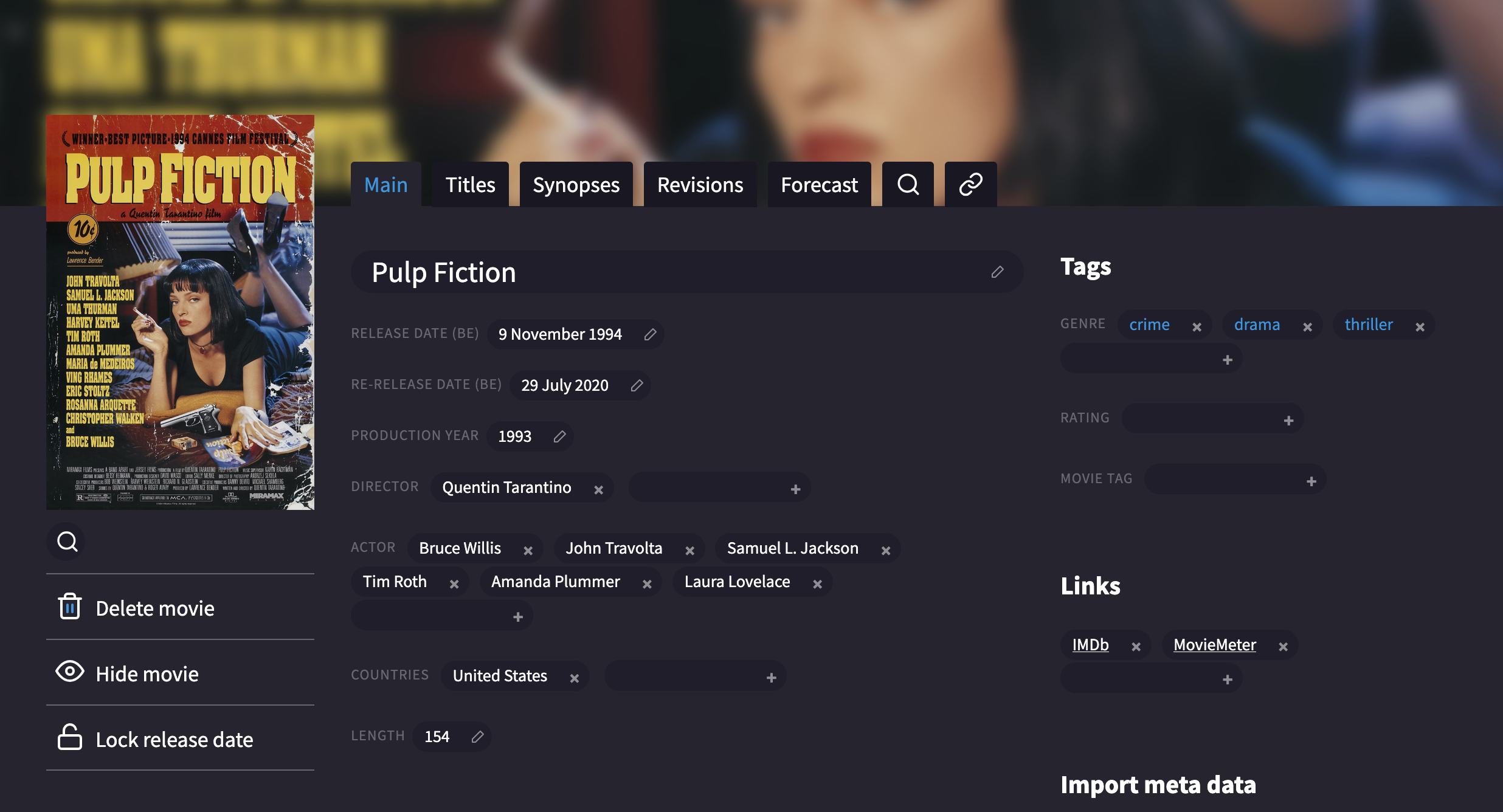
In the above image, a Movix admin has defined the 9th of November 1994 as the original release date and the 29th of July 2020 as re-release date for Pulp Fiction.
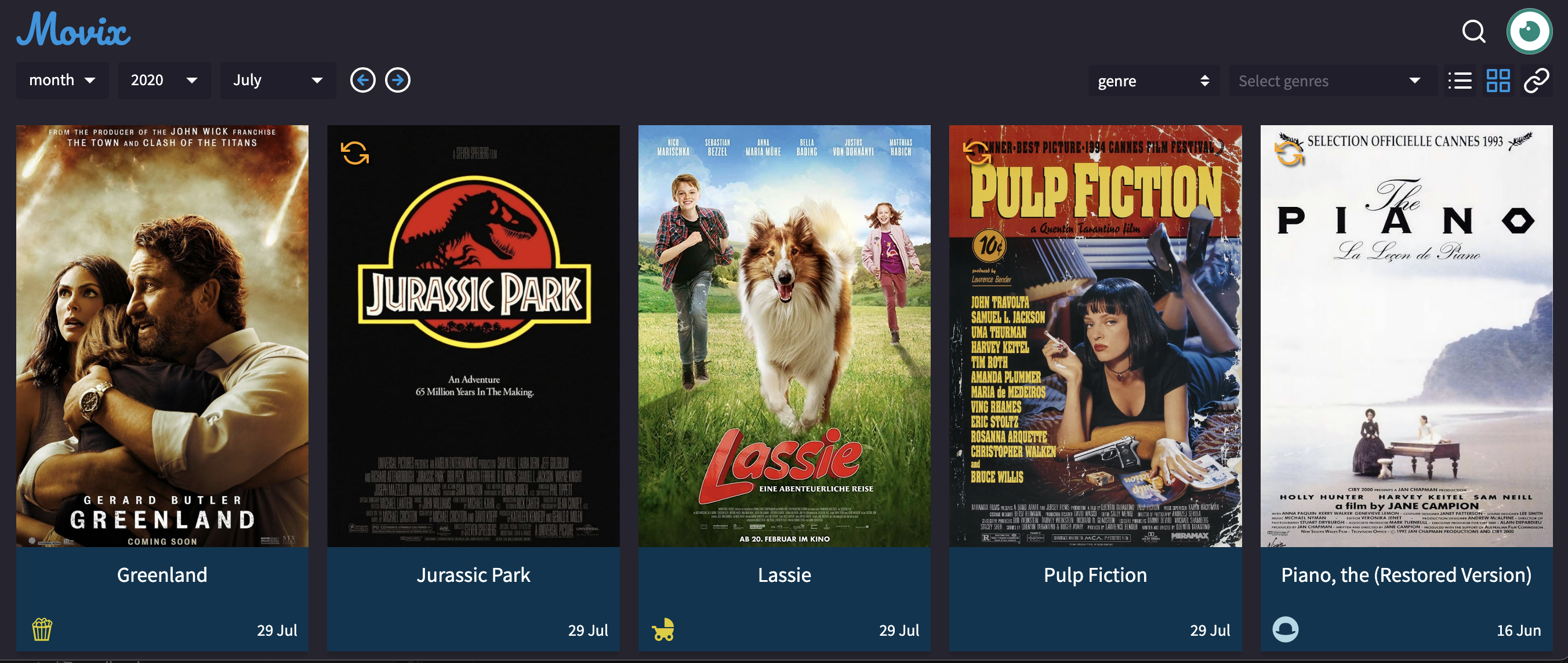
Movies with a re-release date have a 🔄 symbol in the calendar. Since the re-release date takes precedence on the initial release date, Pulp Fiction is listed in the calendar view for July 2020 (instead of November 1994).
Production year
As a side note: updating the release date of a movie is also an opportunity to set its production year. If this cannot be found online, the year before the release year is a good default.