Introduction
Hidden movies are movies which are currently out of circulation or not marketable. These movies show up as grayed-out in your back-office calendar and are completely hidden from view on your public Movix calendar. Hidden movies can also not be selected for custom movie selections.
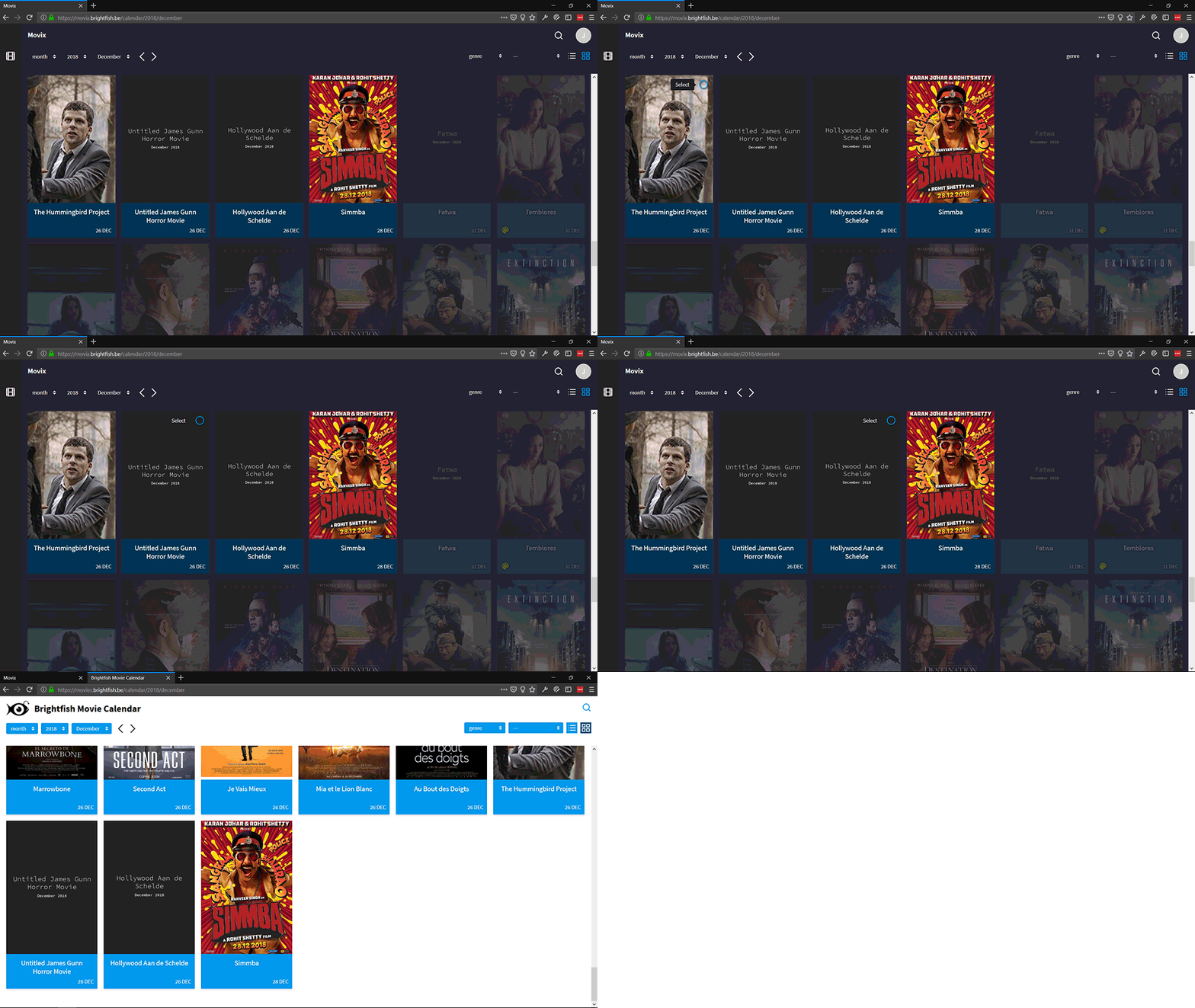
Import sources like Filmdepot in the Netherlands and BRL in Belgium can flag movies as (temporarily) out of circulation. Movix will automatically hide (gray out) these movies — until the original import source flags them otherwise. A Movix admin can however decide to override this and explicitly hide or display a movie.
How to manually hide a movie
On the movie edit view under the poster a button says “Hide movie” or “Show movie” if it is already hidden.
Wrongly hidden movies
Movix sometimes wrongly merges two movies together. If one of these movies was flagged as “out of circulation” by the import source, the movie resulting from merging will also be wrongly hidden. When correcting wrongly hidden movies Movix admins should therefore always review the alternative titles (“Also known as”). To understand why the movie has been hidden, you can use the movie revisions tab in the movie edit view.
Movie Changes newsletter
The “Movie Changes” newsletter weekly informs all subscribed admins about newly hidden movies.
Belgium
In Belgium the BRL source typically assigns the 31th of December as a placeholder release date to movies of which the exact release date is not yet known. These movies will also be automatically hidden by Movix.
The Netherlands
All imported movies with a release date farther than 3 months ahead and which only occur on the “releaselijst” channel of the Filmdepot API (RELSCHEMA) are automatically hidden.
Developers: hidden states
| 0 | Default state, the movie is visible |
| 1 | The movie has been hidden by an automated job |
| -1 | The movie has been hidden by a human and cannot be changed by automatic jobs |
| -2 | The movie has set to visible by a human and cannot be changed by automatic jobs |